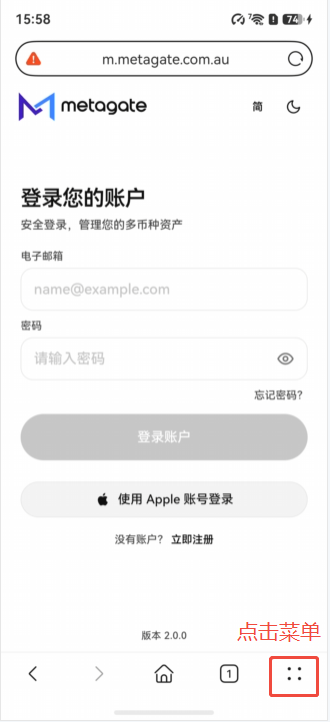
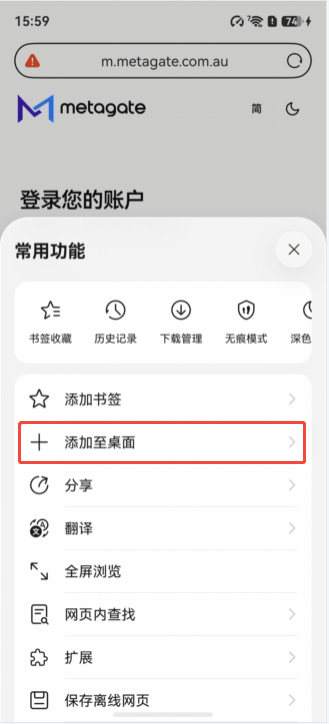
1 Open the browser menu 打开浏览器菜单 On the Metagate page, tap the menu button at the bottom right. 进入 Metagate 页面后,点击右下角的菜单按钮。
3 Confirm the app name 确认应用名称 Edit the name if needed, then tap the checkmark to confirm. 如有需要可修改名称,然后点击勾选按钮确认。
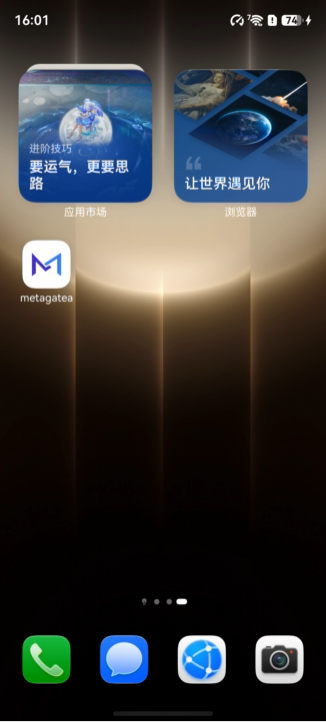
4 Open from the home screen 从桌面打开 The Metagate icon is now available on your home screen. 添加完成后,即可通过桌面上的 Metagate 图标打开。